Developer Toolbox for macOS
75+ tools. One app.
Built for developers.
Format, convert, generate, parse, and extract — offline and online tools in one native Mac app. Your sensitive data never leaves your machine.
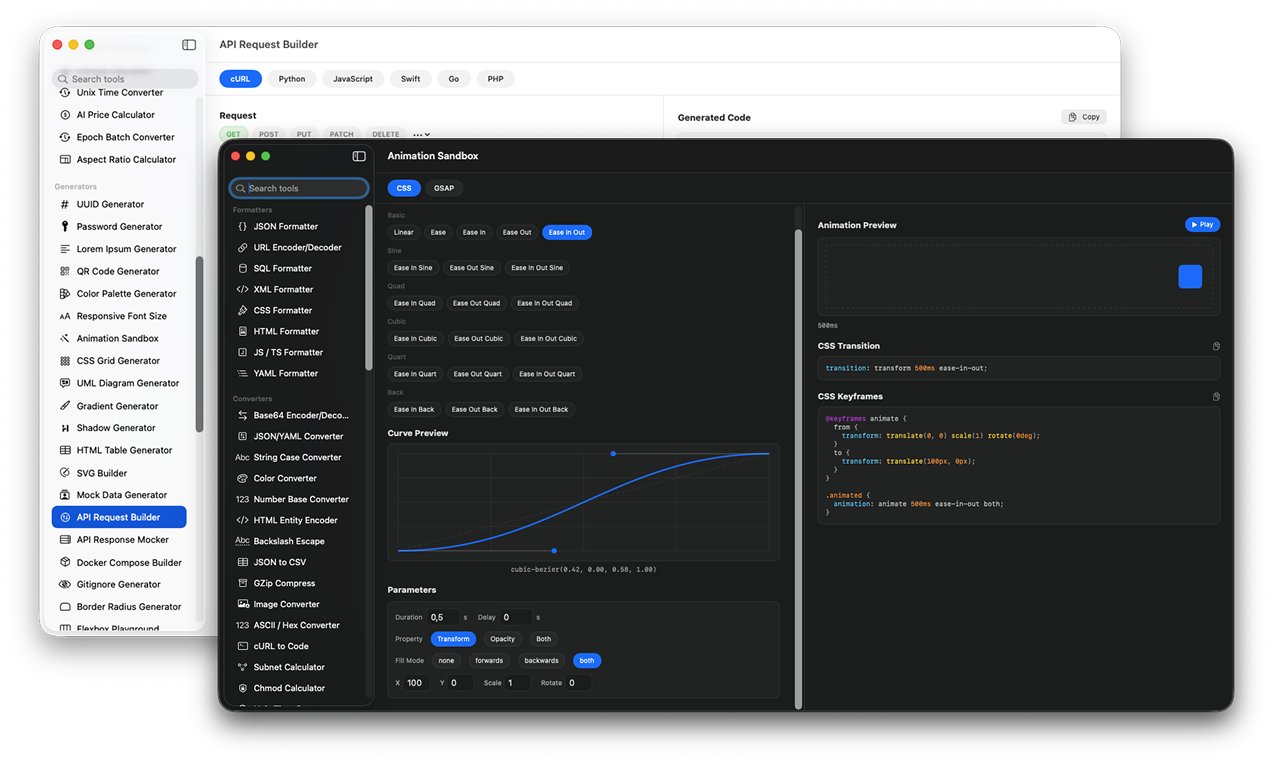
See it in action
Powerful tools, beautifully crafted
Every tool is designed to be fast, intuitive, and get out of your way.
CSS Grid Generator
Build complex grid layouts visually with live code output
JWT Decoder
Decode and inspect JSON Web Tokens without sending data anywhere
Animation Sandbox
Preview CSS animations and GSAP with custom easing curves
SVG Builder
Create and edit SVG graphics with a visual builder and code output
Built-in Tools
Everything you need, already included
From JSON formatting to JWT decoding, from SSH management to font extraction — 75+ essential developer tools in one app. Offline and online.
75 of 75 tools
Why ToolPane
Your sensitive data stays on your Mac.
No more pasting tokens, keys, or payloads into random websites. Most tools run fully offline. Online tools like font and color extractors only fetch public data you request — nothing is ever sent from your machine.
Privacy First
Your sensitive data stays on your Mac. No tracking, no telemetry, no third-party servers. Online tools only fetch public data you request.
Smart Clipboard
Monitors your clipboard and suggests the right tool. Copy a JWT — it opens the decoder.
Snippet Library
Save and organize code snippets with syntax highlighting. Always one click away.
Keyboard First
Quick-launch with ⌘K. Every tool is searchable without touching your mouse.
Native macOS
No Electron. Pure Swift performance. Launches instantly and stays out of your way.
Menu Bar Access
Quick-access from the menu bar. Generate UUIDs, passwords, timestamps, kill ports, and launch favorite tools instantly.
Pricing
One price. Yours forever.
No subscriptions, no tiers, no upsells. Pay once and get every tool, every update, forever.
Pay once, own it forever. No subscriptions.
- ✓75+ developer tools
- ✓All formatters, converters, generators & parsers
- ✓Smart clipboard detection
- ✓Snippet library
- ✓⌘K quick search
- ✓Dark mode
- ✓All future updates included
- ✓Priority support
FAQ
Frequently asked questions
What do I get for $19?+
You get lifetime access to all 75+ tools with every future update included. One purchase, no subscriptions, no recurring fees.
Does ToolPane send my data anywhere?+
Your sensitive data never leaves your Mac. Most tools run fully offline with zero network requests. A few tools like Font Extractor and Color Extractor fetch public website data when you ask them to, but your own data is never sent anywhere. Zero tracking, zero telemetry.
What macOS version is required?+
ToolPane requires macOS 14.0 (Sonoma) or later and supports both Apple Silicon and Intel Macs.
How is this different from online tools?+
Online tools require you to paste sensitive data into someone else's server. ToolPane processes everything locally and keeps 75+ tools in one native app instead of scattered browser tabs. Plus, tools like SSH Manager, Port Killer, and Font Extractor go beyond what browser-based tools can offer.
Which tools require an internet connection?+
Most tools work completely offline. Only a handful — like Font Extractor, Color Extractor, DNS Lookup, and Open Graph Preview — need internet to fetch public data from websites you specify. Your own data is always processed locally.
Do I need to pay for updates?+
No. Your $19 purchase includes all future updates and new tools. Pay once, use forever.
Is there a Windows or Linux version?+
ToolPane is currently macOS only. It's built with native Swift for the best possible performance and Mac experience.
How do I get support?+
Reach out anytime at hi@toolpane.app. We typically respond within 24 hours.
Ready to ship faster?
Download ToolPane
Replace dozens of browser tabs with one powerful, private, native Mac app. 75+ tools at your fingertips.
Coming SoonRequires macOS 14.0 or later · Apple Silicon & Intel